GnuCash vs QuickBooks: Free Accounting or Business Platform?
Compare self-managed double-entry accounting with a broader commercial bookkeeping ecosystem.
By Trebuchet Editorial Desk··Editorial guide
Original editorial artwork for Trebuchet. This is an illustration, not a screenshot of the software.
Editorial overview: This article is based on public product documentation and published capabilities, not hands-on benchmark testing. Features and licensing may change; verify details with each publisher.
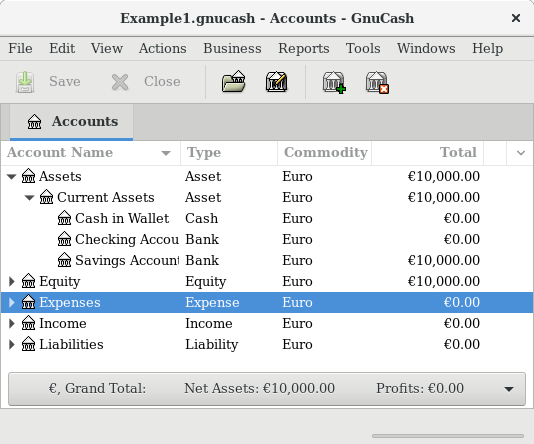
Interface reference · View source and context. Screenshot may show an older version; interface details can change.
What each tool is designed to do
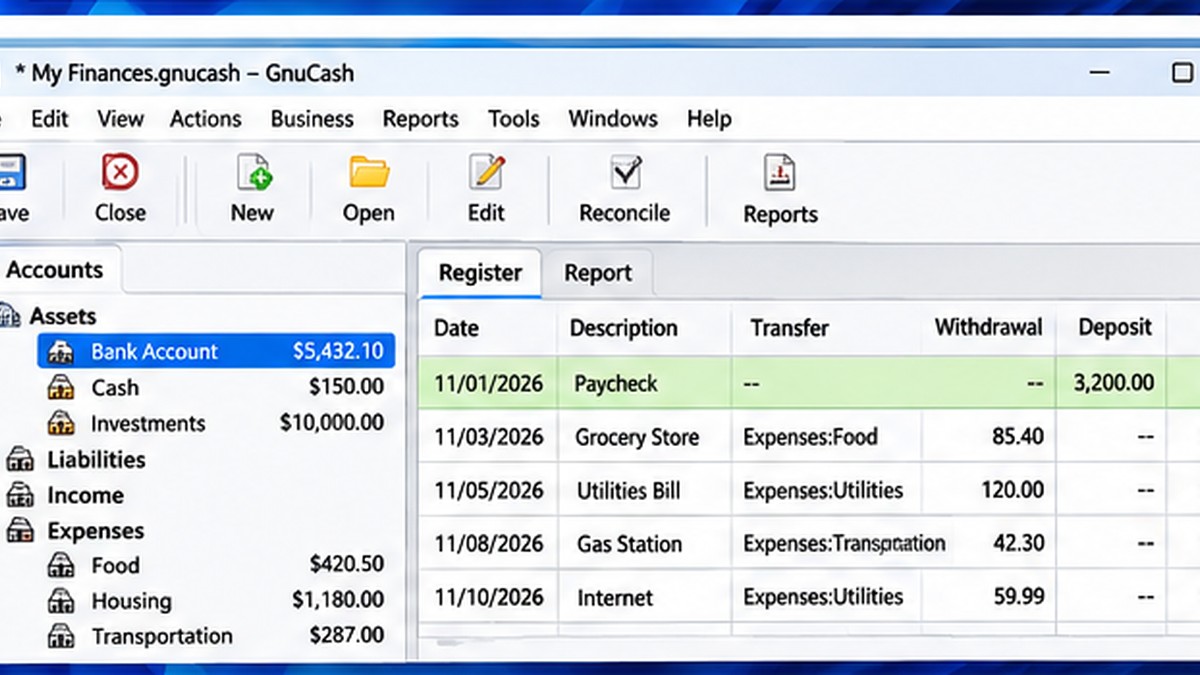
Editorial interface illustration (AI-generated); appearance may differ from current software versions.
GnuCash is free, open-source accounting software centered on accounts, transactions, and double-entry bookkeeping. QuickBooks is a family of commercial accounting products with business workflows and plan-dependent features. Products under the QuickBooks name are not all identical.
Core bookkeeping needs
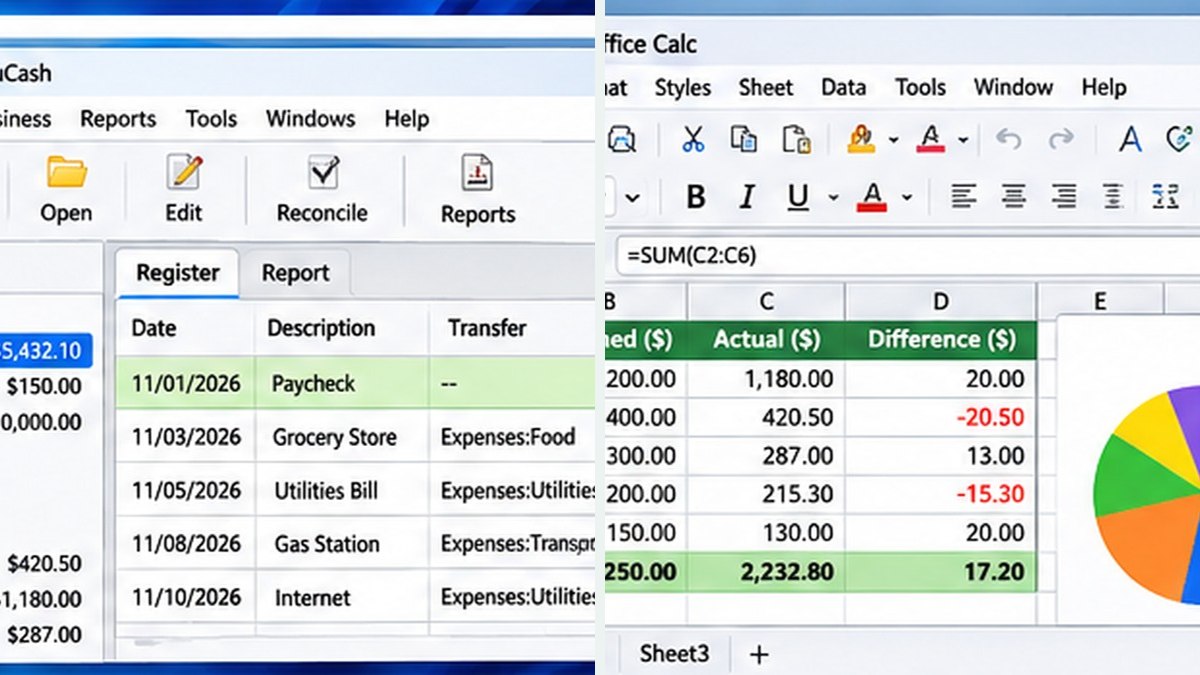
Editorial interface illustration (AI-generated); appearance may differ from current software versions.
For learning double-entry accounting, maintaining an account register, and generating reports, GnuCash can cover important basics. QuickBooks products focus on workflows commonly requested by US small businesses, such as invoicing, bank feeds, and integrations, depending on the product and subscription.
Cost and ongoing maintenance
GnuCash does not require a software subscription, but importing data, bookkeeping procedures, backups, and updates still take time. QuickBooks generally involves paid plans and possible add-ons, and prices or feature availability change; check Intuit’s current documentation.
Collaboration and payroll
If multiple staff, accountants, or external services need access, evaluate the specific QuickBooks product rather than assuming a desktop and cloud edition work the same way. GnuCash is less oriented to the integrated payroll and cloud collaboration workflows that businesses may expect.
Which should you choose?
Consider GnuCash if you understand bookkeeping fundamentals and want local control without a subscription. Consider an appropriate QuickBooks product if your priority is integrations, collaboration, or business processes your accountant already supports. This comparison is not tax or accounting advice.
Software safety: Use official publisher websites, check supported operating systems and release notes, and keep a backup of important projects and data.
A closer look: how this fits into everyday work
Features make more sense when you connect them to a familiar task. The following examples focus on ordinary desktop workflows, common points of confusion, and the decisions that are easy to overlook when reading a list of specifications.
Two tools for two different working styles
GnuCash and QuickBooks can both appear in a search for bookkeeping software, but they often solve different operational problems. GnuCash appeals to people comfortable managing local accounting records and learning double-entry concepts. QuickBooks offers a broader commercial ecosystem, with product capabilities that differ by edition and plan.
The fair comparison is not simply free versus paid. It is the time you spend maintaining records, the reports you need, the integrations you rely on and the help you expect when something goes wrong.
The small-business checklist
Write down the ordinary tasks you perform every week: creating invoices, importing bank activity, tracking expenses, collecting payments, producing reports and working with a bookkeeper. Mark which tasks are essential and which would merely be nice to have.
Next, test those tasks using representative data. A product with dozens of features does not automatically win if the three you actually need are awkward. Conversely, a free ledger may become expensive if you must manually bridge gaps in payroll or customer billing.
Reader tip: menus, screenshots and exact settings may change between software versions. Check the publisher’s documentation before following a step that affects important files.
Data ownership and collaboration
Local accounting files can be attractive because you control where they live, but sharing them safely requires planning. Cloud products can simplify access for distributed teams, while raising different questions about fees, internet availability and account permissions.
Before switching accounting systems, confirm how you will export transactions, retain old reports and document the migration. A rushed change in the middle of tax season is much harder than a controlled trial during a quiet month.
How to choose without brand loyalty
A freelancer with a relatively simple ledger may prefer the control of GnuCash. A company with staff, outside accountants and more integrated business workflows may value a commercial platform. The correct answer depends on actual requirements and the particular QuickBooks edition, not on generic claims that one product is universally superior.
For US taxes, compliance and payroll decisions, consult a qualified professional. This article compares software workflows; it is not personalized tax or accounting advice.
Before you commit important work
Make a small test project with files that are safe to experiment on. Confirm that the result opens, that you understand where it was saved, and that a backup exists for anything irreplaceable. Even popular software can behave differently across Windows versions, hardware configurations and file formats.
Also consider who will receive the result. A technically impressive export is not helpful if a collaborator cannot open it, the text is unreadable or the accounting report does not match the source records. Choose settings and formats with the end user in mind rather than treating the default option as universally correct.
Finally, use the official publisher website for current downloads, release notes and system requirements. This journal links to publishers and reviews software workflows; it does not distribute installers or claim that the applications were benchmarked in our lab.
Trebuchet is an independent informational publication. We are not affiliated with the publishers mentioned and do not host software installers. This article is not a laboratory test or a paid endorsement.