GnuCash Review: Double-Entry Accounting Without a Subscription
A look at accounts, reports, and reconciliation for individuals and very small businesses.
By Trebuchet Editorial Desk··6 min read
Original editorial artwork for Trebuchet. This is an illustration, not a screenshot of the software.
GnuCash belongs to a category of desktop tools that can handle useful everyday jobs without an ongoing subscription. The central question is not just whether it is free, but whether its workflow fits what you want to accomplish.
This editorial overview uses published product documentation and publicly available feature information. It is not a hands-on benchmark or security audit; readers should check current system requirements and product updates with the publisher.
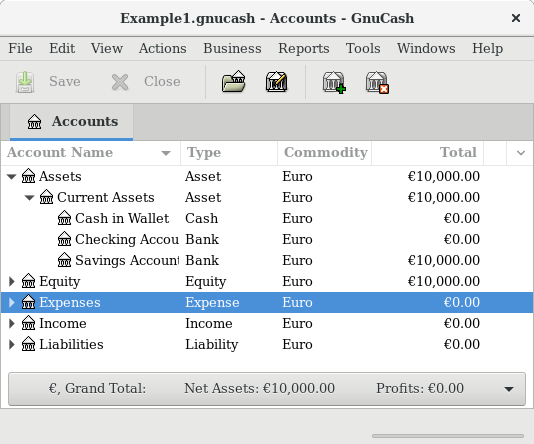
Interface reference · View source and context. Screenshot may show an older version; interface details can change.
Who is GnuCash for?
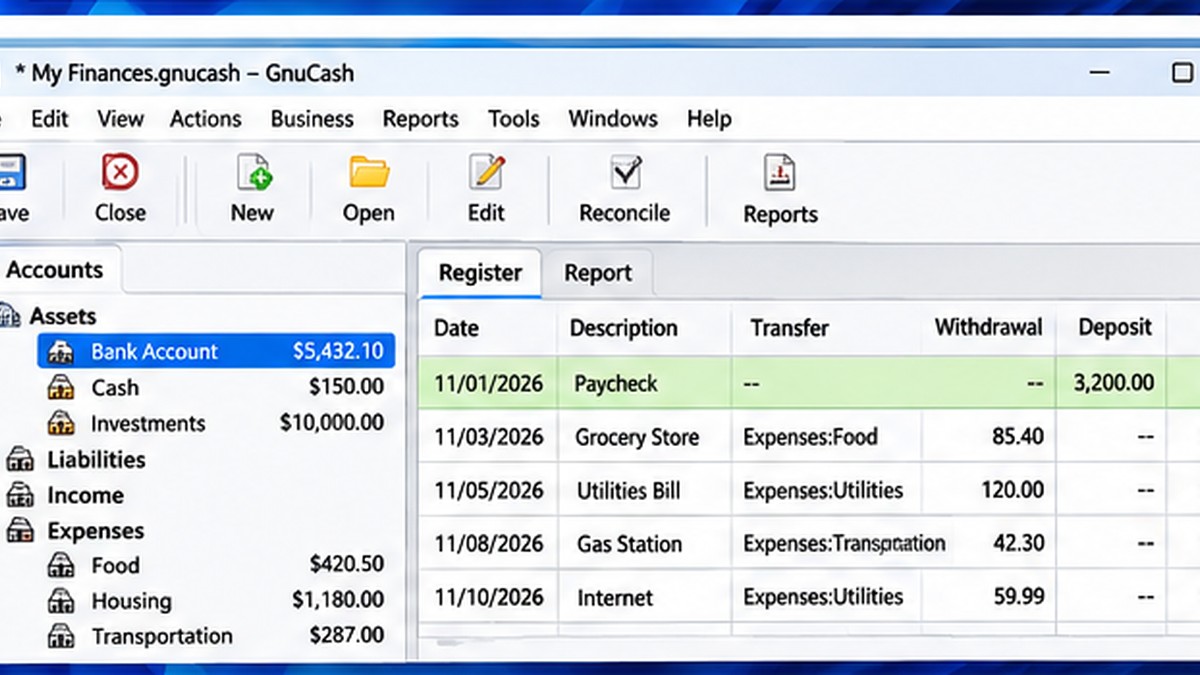
Editorial interface illustration (AI-generated); appearance may differ from current software versions.
People comfortable with accounting concepts who want local financial records. It is worth listing the tasks you repeat each week before picking an application: an impressive feature list is less valuable than a tool that solves your recurring problem reliably.
Where it stands out
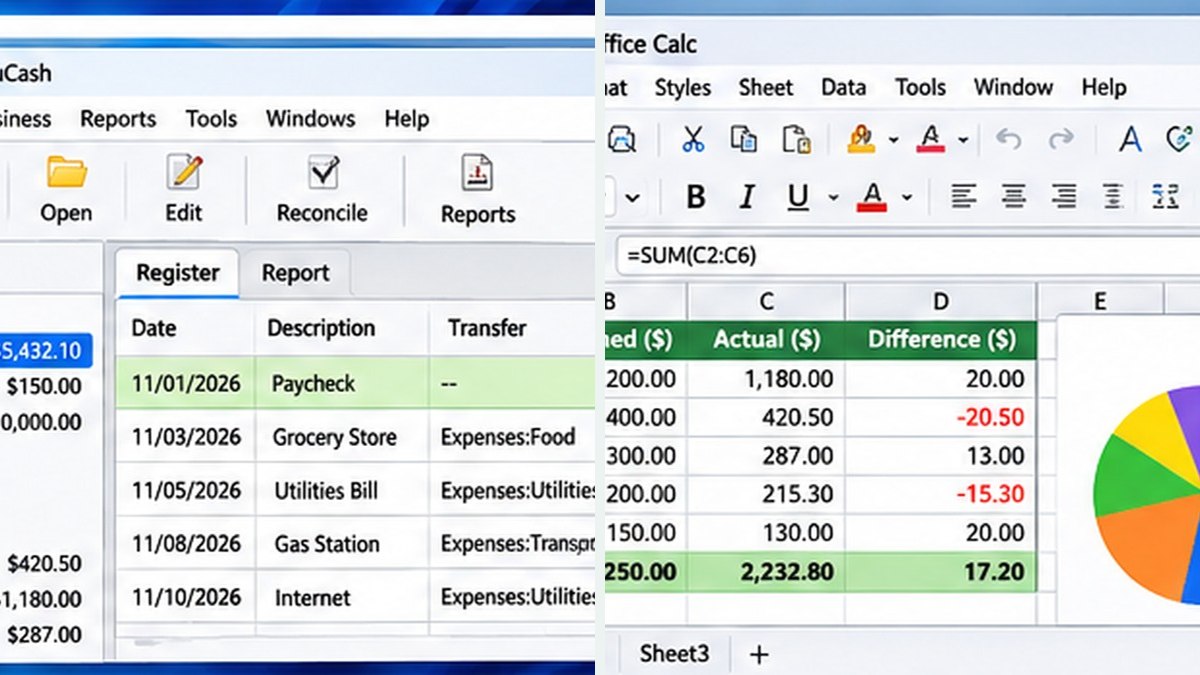
Editorial interface illustration (AI-generated); appearance may differ from current software versions.
Double-entry bookkeeping model
Account registers and financial reports
Open-source desktop software
These capabilities make the software worth considering, but the right fit depends on your files, device, experience, and tolerance for setup. Where possible, try a small sample project before moving important work into a new application.
Tradeoffs to know
Learning curve for people new to accounting
Not a replacement for every business payroll or tax workflow
No free desktop tool is automatically the best choice for every user. Compatibility, documentation, backup options, and continued project maintenance matter as much as its headline features.
A sensible first-use checklist
Create a test file, add checking and expense accounts, record five example transactions, and run a report. Confirm your account structure before entering real records.
Installation safety: use the publisher’s official website, verify the publisher and installer details, keep Windows protection enabled, and avoid unexpected download mirrors or bundled offers.
Our editorial verdict
GnuCash is a serious option for users who value control and understand basic accounting principles.
GnuCash is well suited to understanding double-entry records, but it does not include every integrated service that a business might expect from paid accounting platforms. Compare options in GnuCash vs QuickBooks or read our free accounting software for Windows guide.
A closer look: how this fits into everyday work
Features make more sense when you connect them to a familiar task. The following examples focus on ordinary desktop workflows, common points of confusion, and the decisions that are easy to overlook when reading a list of specifications.
Accounting software asks different questions
A personal expense tracker answers 'where did the money go?' GnuCash can answer a more structured question: which accounts changed, and how do the entries balance? Its double-entry model can be valuable for someone who wants more discipline than a basic budgeting application.
That same structure is also why the first screen may feel unfamiliar. Instead of one list of expenses, you are building a chart of accounts—assets, liabilities, income, expenses and equity. The learning curve is real, but it reflects accounting concepts rather than an attempt to make the program difficult.
A gentle first bookkeeping exercise
Start with an example file rather than real tax records. Create a checking account and an expense category for office supplies. Record a purchase and notice how the transaction affects the accounts. Then enter income and review a simple report. Seeing the numbers move in more than one place is the first step toward understanding double-entry bookkeeping.
Keep documentation for every transaction, whether that means receipts, invoices or statements. Even excellent software cannot correct an entry when the underlying source information is missing or wrong.
Reader tip: menus, screenshots and exact settings may change between software versions. Check the publisher’s documentation before following a step that affects important files.
What GnuCash is—and is not
GnuCash can help individuals and smaller organizations manage structured accounting records without a software subscription. It is not a turnkey substitute for every payroll, tax filing, sales-tax, payment-processing or multi-user workflow a growing US business might need.
If you depend on an accountant, ask whether they can work with your chosen exports and reports before committing a year of records. A tool that saves subscription fees but creates expensive reconciliation work is not necessarily a good deal.
Build a boring monthly routine
Set aside time to compare software records with your bank statements. Investigate missing transactions, identify duplicates and review unusual balances. The process sounds unglamorous because it is: bookkeeping becomes useful when it is repeatable.
Back up the file consistently and verify that you can restore it. A local accounting application gives you control of your data, but it also gives you responsibility for that data.
Before you commit important work
Make a small test project with files that are safe to experiment on. Confirm that the result opens, that you understand where it was saved, and that a backup exists for anything irreplaceable. Even popular software can behave differently across Windows versions, hardware configurations and file formats.
Also consider who will receive the result. A technically impressive export is not helpful if a collaborator cannot open it, the text is unreadable or the accounting report does not match the source records. Choose settings and formats with the end user in mind rather than treating the default option as universally correct.
Finally, use the official publisher website for current downloads, release notes and system requirements. This journal links to publishers and reviews software workflows; it does not distribute installers or claim that the applications were benchmarked in our lab.
Editorial disclosure: this is an independent informational article. Trebuchet is not affiliated with GnuCash. We do not host installers or claim endorsement from the publisher. No hands-on testing is asserted.