Free Windows Software Guide: Eight Useful Desktop Applications
Explore eight open-source or free Windows apps for video, office work, accounting, and daily PC tasks.
By Trebuchet Editorial Desk··Editorial guide
Original editorial artwork for Trebuchet. This is an illustration, not a screenshot of the software.
Editorial overview: This article is based on public product documentation and published capabilities, not hands-on benchmark testing. Features and licensing may change; verify details with each publisher.
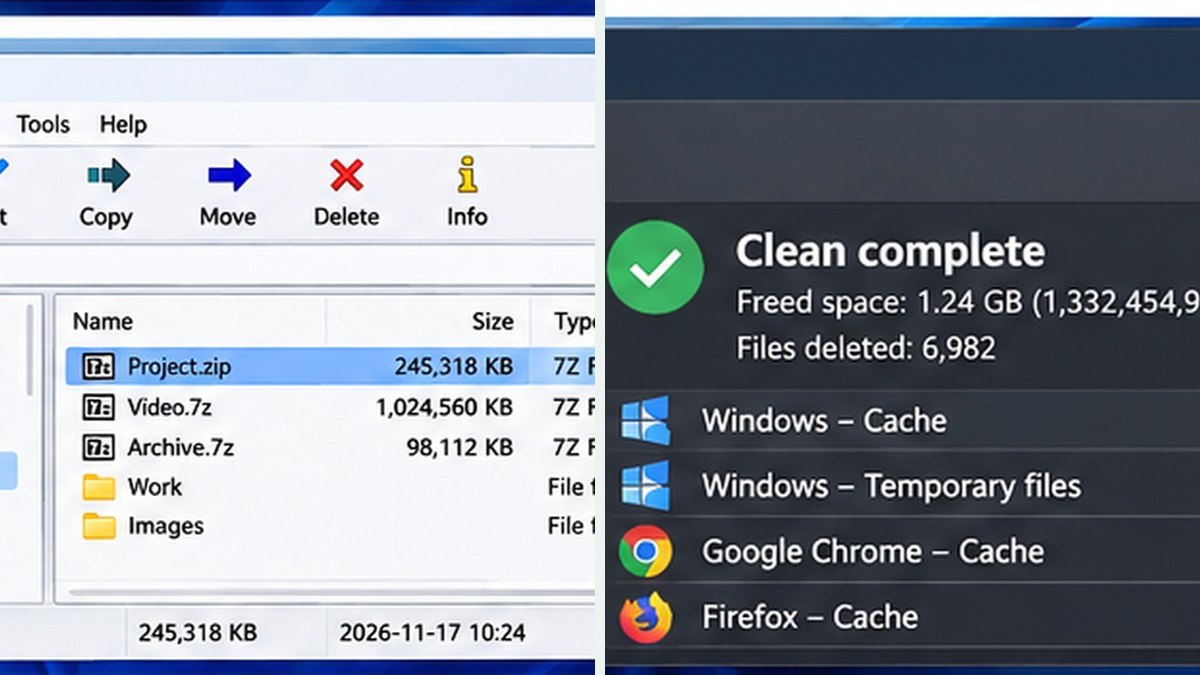
Interface reference · View source and context. Screenshot may show an older version; interface details can change.
A focused starter library
Editorial interface illustration (AI-generated); appearance may differ from current software versions.
The most useful free Windows apps solve a specific problem without making you change your workflow unnecessarily. This guide groups eight programs by what they help you do and links to our deeper, independent coverage.
Video and recording
Editorial interface illustration (AI-generated); appearance may differ from current software versions.
OpenShot and Shotcut are desktop video editors with different learning curves. OBS Studio specializes in recording and streaming.
Documents and office work
PDF24 Creator helps with offline PDF tasks on Windows. LibreOffice includes Writer, Calc, and Impress for everyday documents and spreadsheets.
Finance and essential utilities
GnuCash supports double-entry bookkeeping. 7-Zip handles archives, while BleachBit focuses on selective cleanup.
How to choose safely
Read recent release notes, verify supported versions of Windows, and obtain software from official publishers. Avoid search ads or download sites that imitate the developer, especially for installers.
What this guide does not do
We are an editorial publication, not a software distribution service. Links in our directory lead to publishers; we do not host modified installers or promise that every app will suit every reader.
Software safety: Use official publisher websites, check supported operating systems and release notes, and keep a backup of important projects and data.
A closer look: how this fits into everyday work
Features make more sense when you connect them to a familiar task. The following examples focus on ordinary desktop workflows, common points of confusion, and the decisions that are easy to overlook when reading a list of specifications.
The free-software toolkit most people actually need
You do not need to install twenty utilities to get value from free Windows software. A reliable archive tool, an office suite and a PDF workflow may cover most of a student's or household's needs. 7-Zip, LibreOffice and PDF24 Creator illustrate three different tasks that are easy to understand and evaluate.
Creative work is another category. OpenShot and Shotcut help edit footage, while OBS Studio records the screen and can handle live production. The key is picking the tool for the job rather than choosing whichever download link appears first.
Software for money and maintenance
GnuCash offers structured bookkeeping for people willing to learn double-entry concepts. BleachBit is a more specialized utility for removing selected temporary files. These should not be treated as equivalent to a beginner-friendly budget app or a magical speed boost, respectively.
If you have a clear need, install one program at a time and try a small task. A crowded desktop full of unused software creates more maintenance work than value.
Reader tip: menus, screenshots and exact settings may change between software versions. Check the publisher’s documentation before following a step that affects important files.
What makes a safe software source?
Start with the developer's verified official website and read the current system requirements. Look carefully at the installer publisher and any prompts shown during setup. Avoid websites that disguise ads as download buttons or offer modified installers.
Keep Windows security features enabled, scan suspicious files and maintain backups. Open-source software can be excellent, but the label 'open source' does not guarantee every downloaded file is safe. Source and integrity still matter.
Choose a workflow, not a collection
If you regularly prepare a recorded lesson, you might capture with OBS, edit with Shotcut and compress the accompanying files with 7-Zip. If you prepare client paperwork, LibreOffice and PDF24 may be more useful.
Build a small toolkit around your recurring work and revisit it occasionally. Software that solves a genuine problem is worth keeping; software that merely looks interesting can wait.
Before you commit important work
Make a small test project with files that are safe to experiment on. Confirm that the result opens, that you understand where it was saved, and that a backup exists for anything irreplaceable. Even popular software can behave differently across Windows versions, hardware configurations and file formats.
Also consider who will receive the result. A technically impressive export is not helpful if a collaborator cannot open it, the text is unreadable or the accounting report does not match the source records. Choose settings and formats with the end user in mind rather than treating the default option as universally correct.
Finally, use the official publisher website for current downloads, release notes and system requirements. This journal links to publishers and reviews software workflows; it does not distribute installers or claim that the applications were benchmarked in our lab.
Trebuchet is an independent informational publication. We are not affiliated with the publishers mentioned and do not host software installers. This article is not a laboratory test or a paid endorsement.