Free Accounting Software for Windows: Is GnuCash Enough?
What to check before choosing free desktop bookkeeping software for personal or small-business use.
By Trebuchet Editorial Desk··Editorial guide
Original editorial artwork for Trebuchet. This is an illustration, not a screenshot of the software.
Editorial overview: This article is based on public product documentation and published capabilities, not hands-on benchmark testing. Features and licensing may change; verify details with each publisher.
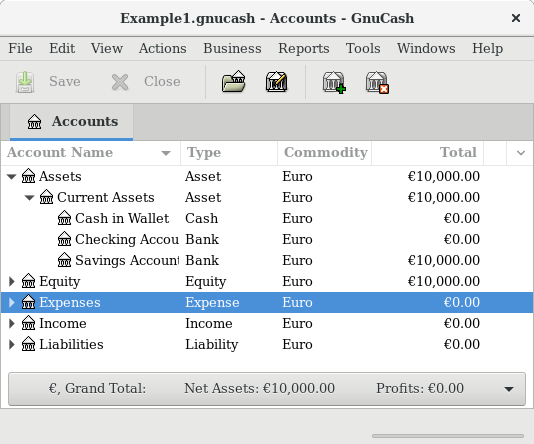
Interface reference · View source and context. Screenshot may show an older version; interface details can change.
Decide what bookkeeping means for you
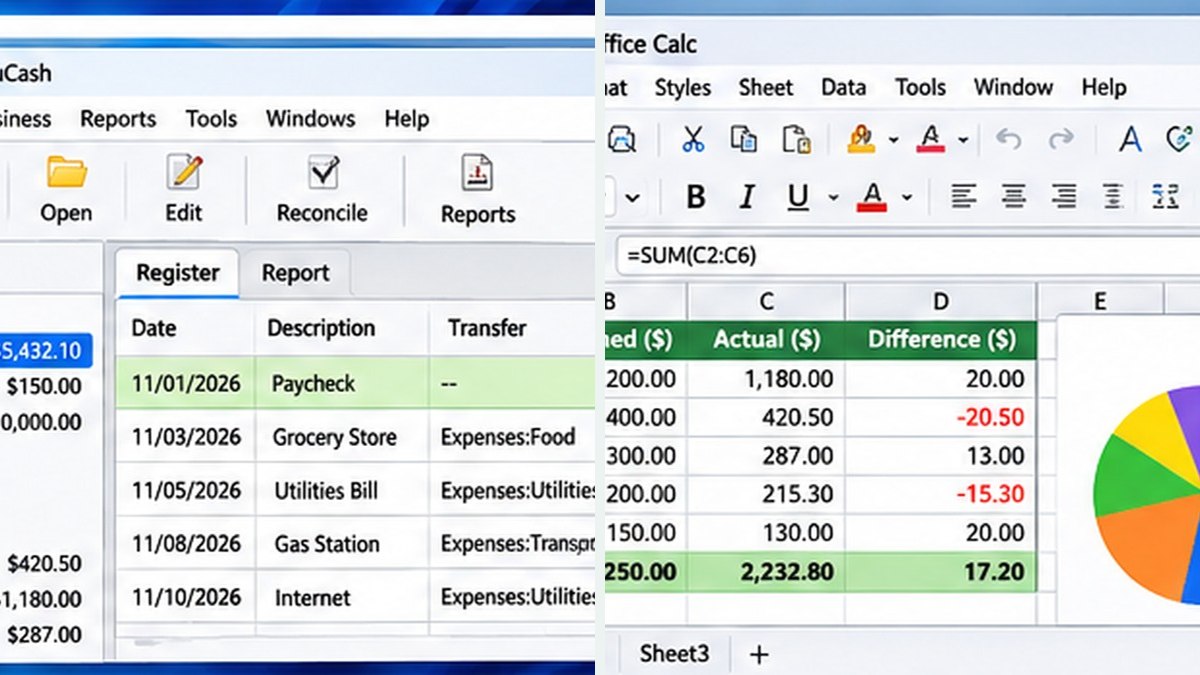
Editorial interface illustration (AI-generated); appearance may differ from current software versions.
Home budgeting, business accounts, double-entry bookkeeping and payroll are different needs. A free Windows accounting application can help with recordkeeping but may not replace specialized tax, payroll, or invoicing services.
Where GnuCash fits
Editorial interface illustration (AI-generated); appearance may differ from current software versions.
GnuCash offers accounts, transactions, reconciliations and reports using double-entry accounting. It can suit individuals familiar with bookkeeping basics and very small businesses comfortable managing their own processes.
Questions to ask before switching
Can you import transactions? Does your accountant accept the resulting reports? Do you need bank feeds, inventory, payroll, access for several people, or automatic backups? Record the answers before choosing.
Free does not mean zero effort
Even without a subscription, backups, updates, data entry and reconciliation require work. Keep copies of important data and verify that your records meet applicable requirements with a qualified professional.
Software safety: Use official publisher websites, check supported operating systems and release notes, and keep a backup of important projects and data.
A closer look: how this fits into everyday work
Features make more sense when you connect them to a familiar task. The following examples focus on ordinary desktop workflows, common points of confusion, and the decisions that are easy to overlook when reading a list of specifications.
What “free accounting software” can mean
The phrase covers everything from a household spending tracker to a serious double-entry ledger. Those categories are not interchangeable. GnuCash can be a useful option for structured accounting, but a shop that needs integrated payroll, payment processing and automated sales-tax workflows may require something else.
Start with the tasks, not the price. List how you currently send invoices, reconcile bank transactions, keep receipts and prepare information for your tax professional. Free software only saves money if it supports the work you actually need.
A test month is better than a feature checklist
Use sample transactions from an imaginary month: a sale, an expense, a transfer and a refund. Enter them in a practice file and see whether the reports tell a coherent story. If you cannot explain a balance, resolve the discrepancy before moving real records.
Keep an eye on how much manual work a tool demands. An inexpensive subscription may sometimes be worth it when it replaces many hours of repetitive entry, but a local free ledger can be ideal for someone who wants full control.
Reader tip: menus, screenshots and exact settings may change between software versions. Check the publisher’s documentation before following a step that affects important files.
Moving real data carefully
Never migrate the only copy of your accounting records. Export source data, keep dated backups and verify that beginning balances match after a move. Ask an accountant about the reports they expect to receive at year-end.
If your business has multiple people entering transactions, consider permissions and collaboration. A local program's simplicity can turn into a coordination problem without clear responsibilities.
The importance of regular review
The software should fit a monthly routine: import or enter activity, check it against statements, correct errors and archive the supporting documents. Good habits matter more than colorful dashboards.
US tax and payroll compliance requirements can be specific. Treat an online review as product research, not as a substitute for personalized professional advice.
Before you commit important work
Make a small test project with files that are safe to experiment on. Confirm that the result opens, that you understand where it was saved, and that a backup exists for anything irreplaceable. Even popular software can behave differently across Windows versions, hardware configurations and file formats.
Also consider who will receive the result. A technically impressive export is not helpful if a collaborator cannot open it, the text is unreadable or the accounting report does not match the source records. Choose settings and formats with the end user in mind rather than treating the default option as universally correct.
Finally, use the official publisher website for current downloads, release notes and system requirements. This journal links to publishers and reviews software workflows; it does not distribute installers or claim that the applications were benchmarked in our lab.
Trebuchet is an independent informational publication. We are not affiliated with the publishers mentioned and do not host software installers. This article is not a laboratory test or a paid endorsement.